Embracing the Polygot Architecture
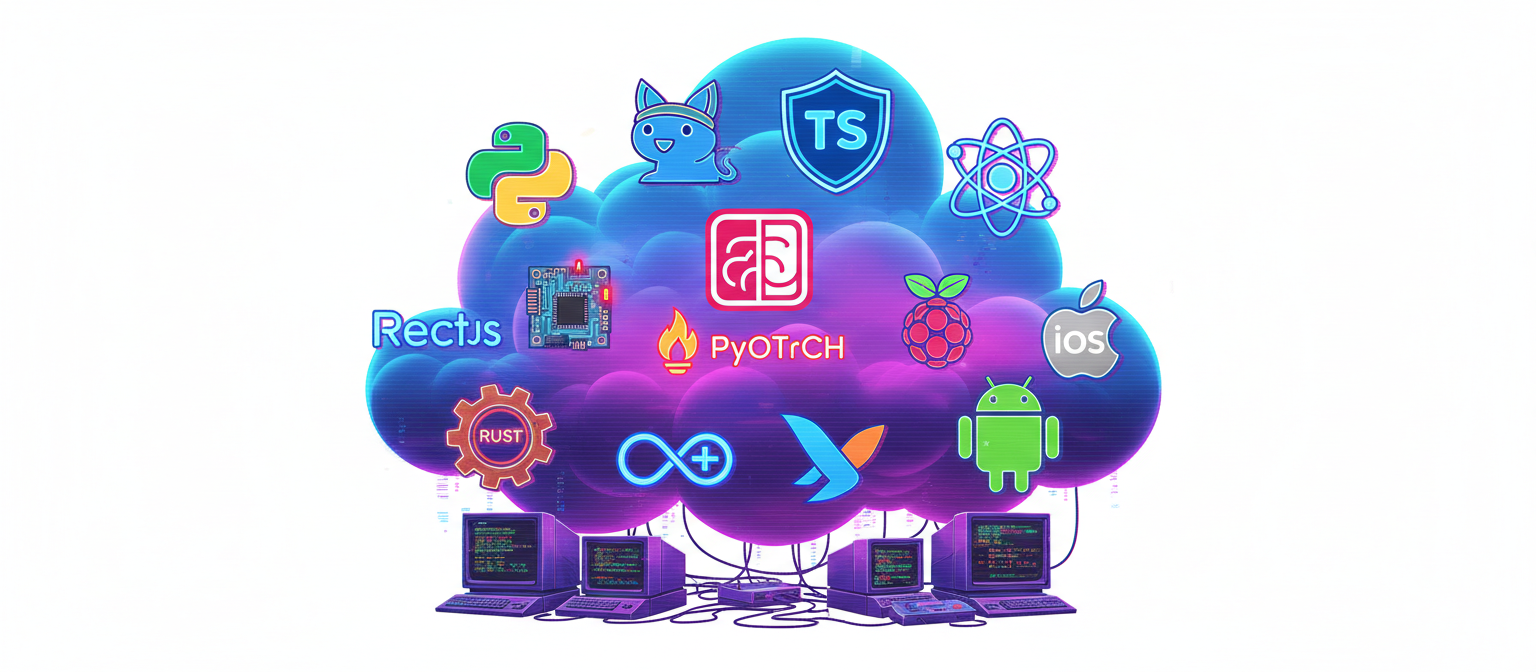
The Inconvenient Truth About Real Applications
Let me tell you something that every seasoned architect knows but nobody likes to admit: your cool product idea isn’t going to live on just one platform.
I know, I know. You started with a brilliant concept: “We’ll just build a simple dashboard!” Fast forward six months, and suddenly you’re dealing with:
- Raspberry Pis in the field that need firmware updates
- Mobile apps because your CEO saw a competitor’s and now it’s “critical”
- A desktop application because field technicians hate using browsers
- A web dashboard because management wants to see metrics from anywhere
- Cloud infrastructure because your laptop can’t handle 10,000 devices
Welcome to reality. Your neat little project just became a distributed systems nightmare.
But here’s the thing: this isn’t actually a nightmare anymore. It’s December 2025, and we’ve figured this out. The tools exist. The patterns are established. You just need to know what to do and how.
The Great Language Wars Are Over (And We All Won)
Remember the old days? Pick Java, and suddenly everything had to be Java. Your frontend? Java applets (shudder). Your mobile app? Some horrible Java-to-native bridge. Your embedded device? Well, good luck fitting a JVM on that thing.
Or the Python zealots: “Python can do everything!” Sure, until you need a desktop app with native performance, or you’re trying to squeeze machine learning onto a device with 512MB RAM.
The Go evangelists weren’t much better: “Rewrite everything in Go!” Great idea until you need to do complex data transformations and realize you’re missing 20 years of pandas evolution.
Here’s the uncomfortable truth nobody wants to say out loud: Every language sucks at something. And that’s perfectly fine.
Enter the Modern Era: The Polyglot Renaissance
Something magical happened in the last few years. Three things converged:
1. LLMs Can Write Code in Any Language
You know what’s hilarious? We spent decades arguing about which language was “easier” to learn. Now LLMs can write competent code in 50+ languages. What about the learning curve? It’s gone!
Need a Go service but your team only knows Python? Fine. Your LLM writes the Go code, your team reviews it, everyone learns. Six months later, you have Go expertise.
2. Data Interoperability Became Trivial
Remember when moving data between Python and Go meant serializing to JSON and praying? Those days are over.
Apache Arrow said: “What if we all just agreed on one memory format?” And suddenly, your Python code writes Parquet files that your Go service reads at native speed. Zero serialization overhead. No format conversion headaches.
DuckDB went further: “What if you could query data from any language with SQL?” Now your Python script, your Go service, and your TypeScript API can all query the same data lake with the same SQL. No custom parsers. No ORMs. Just SQL.
Polars chimed in: “What if Rust-level performance was available from Python?” And now your data pipelines run 100x faster without changing languages.
3. The Tooling Matured
Infrastructure as Code? Works across clouds and languages (shout-out to Pulumi). Containerization? Language-agnostic by design. Serverless? Lambda doesn’t care if you’re running Python, Go, or Node. API protocols? gRPC and GraphQL work everywhere.
The result? You can finally use the right tool for each job without creating an integration nightmare.
At Yantratmika, we’ve embraced this reality. Our applications routinely use 4 languages in production, and it’s not chaos—it’s engineering. Go for high-throughput data ingestion. Python for ML pipelines. TypeScript for user interfaces. Rust for embedded firmware when we need it. Flutter for the apps. Each doing what it does best.
Why You Actually Need All These Platforms
Let me walk you through why your “simple dashboard” inevitably becomes a multi-platform beast. This isn’t feature creep—it’s architectural necessity.
The Device Layer: Where Reality Happens
Your IoT devices—Raspberry Pis, custom boards, sensors—these aren’t optional. They’re the entire point. Without them, you’re not doing IoT, you’re just… making another SaaS app.
Why they matter:
- They’re where data originates (the actual temperature, the real pressure reading)
- They operate in hostile environments (warehouses, factories, outdoor installations)
- They need to work offline (because WiFi isn’t reliable at -20°C in a freezer)
- They cost real money to update (someone has to physically visit them)
Technical requirements:
- Low power consumption (batteries don’t last forever)
- Resilient to network failures (store-and-forward messaging)
- Secure (can’t have someone hacking your industrial sensors)
- Remotely manageable (firmware updates, configuration changes)
Example: MQTT Client on Raspberry Pi (Python)
import paho.mqtt.client as mqtt
import json
import time
from sensors import read_temperature, read_humidity

# This is your data source - the physical world
def collect_sensor_data():
    return {
        'device_id': 'warehouse-sensor-01',
        'temperature': read_temperature(),  # Actual sensor reading
        'humidity': read_humidity(),
        'timestamp': int(time.time()),
        'battery': get_battery_level()
    }

# Resilient MQTT connection with auto-reconnect
client = mqtt.Client()
client.connect("mqtt.yourplatform.com", 8883)

# Store-and-forward: if cloud is down, queue locally
message_queue = []

while True:
    data = collect_sensor_data()

    try:
        client.publish("sensors/warehouse/data",
                      json.dumps(data),
                      qos=1)  # At-least-once delivery
    except:
        # Cloud down? No problem, queue it
        message_queue.append(data)
        save_to_local_storage(data)  # SQLite on device

    time.sleep(60)  # Once per minute
What’s happening here: This isn’t fancy, and that’s the point. Device code needs to be bulletproof, not clever. We’re collecting real sensor data, handling network failures gracefully, and ensuring no data loss. When I wake up at 3 AM because a warehouse sensor stopped reporting, it better not be because of some clever async pattern that deadlocked.
The Cloud Layer: Your Data’s Home
The cloud isn’t just “where stuff runs.” It’s your:
- Data aggregator (1000 devices × 1 message/minute = 1.4M messages/day)
- Processing engine (raw sensor data → actionable insights)
- Historical archive (what was the temperature in warehouse 3 on March 15th?)
- API gateway (how web/mobile apps get data)
Why serverless wins here:
// Lambda function in Go - processes 100 device messages in parallel
func Handler(ctx context.Context, event events.SQSEvent) error {
    readings := make([]IoTReading, 0, len(event.Records))

    // Parse all messages in the batch
    for _, record := range event.Records {
        var reading IoTReading
        json.Unmarshal([]byte(record.Body), &reading)
        readings = append(readings, reading)
    }

    // Write to Parquet in columnar format (3x-5x compression)
    parquetData := writeToParquet(readings)

    // Upload to S3 with smart partitioning
    key := fmt.Sprintf("data/year=%d/month=%02d/day=%02d/hour=%02d/batch-%d.parquet",
        now.Year(), now.Month(), now.Day(), now.Hour(), now.UnixNano())

    s3.PutObject(ctx, bucket, key, parquetData)

    return nil  // SQS automatically handles retries
}
Why this matters: We’re handling 100 messages at once (SQS batching), writing compressed columnar data (Parquet saves 70% storage costs), and partitioning by time (makes queries 100x faster). This Lambda runs for 50ms and costs $0.0000002 per invocation. Scale to a million devices? No code changes needed.
Data Processing with DuckDB (Python)
import duckdb

def hourly_aggregation():
    """
    Process billions of rows without loading them into memory.
    DuckDB is the secret weapon here.
    """
    con = duckdb.connect()

    # Query directly from S3 - no ETL needed
    result = con.execute("""
        SELECT
            device_id,
            DATE_TRUNC('hour', FROM_UNIXTIME(timestamp)) as hour,
            AVG(temperature) as avg_temp,
            STDDEV(temperature) as std_temp,
            COUNT(*) as reading_count
        FROM 's3://your-bucket/data/**/*.parquet'
        WHERE timestamp >= UNIX_TIMESTAMP(NOW() - INTERVAL 24 HOURS)
        GROUP BY device_id, hour
        ORDER BY hour DESC
    """).fetchdf()

    # Write aggregates to DynamoDB for fast API access
    write_to_dynamodb(result)
The magic: DuckDB streams data from S3, processes it in chunks (only loads what fits in memory), and uses columnar operations (SIMD-accelerated). This queries 10GB of data in 30 seconds on a \(0.02 Lambda invocation. Try that with pandas—you'll need a \)500/month EC2 instance.
The Web Dashboard: Where Humans Make Decisions
Your web app isn’t just a pretty interface. It’s:
- The command center (start firmware updates, configure alerts)
- The analysis platform (spot trends, investigate anomalies)
- The collaboration tool (share dashboards, export reports)
Real-time Updates with WebSocket (Next.js API Route)
// app/api/websocket/route.ts
import { DynamoDBStreamEvent } from "aws-lambda";

export async function POST(request: Request) {
  const event: DynamoDBStreamEvent = await request.json();

  // DynamoDB stream fires when aggregates are written
  for (const record of event.Records) {
    if (record.eventName === "INSERT") {
      const data = unmarshall(record.dynamodb.NewImage);

      // Broadcast to all connected clients
      await broadcastToWebSockets({
        type: "stats_update",
        device_id: data.device_id,
        metrics: data.stats,
        timestamp: data.timestamp,
      });

      // If anomaly detected, send alert
      if (isAnomaly(data)) {
        await broadcastToWebSockets({
          type: "anomaly_alert",
          severity: "high",
          device: data.device_id,
          details: analyzeAnomaly(data),
        });
      }
    }
  }

  return new Response("OK");
}
Why WebSocket matters: When a warehouse sensor detects 45°C (should be 20°C), the web dashboard updates instantly. No polling. No refresh button. The ops team sees it the moment it happens. That’s the difference between catching a refrigeration failure before $100K of product spoils… and not.
Interactive Visualization (React Component)
// components/TemperatureChart.tsx
"use client";
import { LineChart, Line, XAxis, YAxis } from "recharts";
import { useWebSocket } from "@/lib/websocket";

export default function TemperatureChart({ deviceId }: { deviceId: string }) {
  const [data, setData] = useState<DataPoint[]>([]);
  const { lastMessage } = useWebSocket();

  useEffect(() => {
    // Real-time updates from WebSocket
    if (lastMessage?.type === "stats_update") {
      setData((prev) =>
        [
          ...prev,
          {
            time: new Date(lastMessage.timestamp * 1000),
            temp: lastMessage.metrics.avg_temp,
            threshold: 25, // Alert threshold
          },
        ].slice(-100)
      ); // Keep last 100 points
    }
  }, [lastMessage]);

  return (
    <div className="bg-white p-6 rounded-lg shadow">
      <h3 className="text-xl font-bold mb-4">
        Temperature: {deviceId}
        {data[data.length - 1]?.temp > 25 && (
          <span className="ml-2 text-red-600">⚠️ ALERT</span>
        )}
      </h3>

      <LineChart width={800} height={300} data={data}>
        <XAxis dataKey="time" />
        <YAxis />
        <Line type="monotone" dataKey="temp" stroke="#ef4444" />
        <Line
          type="monotone"
          dataKey="threshold"
          stroke="#999"
          strokeDasharray="5 5"
        />
      </LineChart>
    </div>
  );
}
The user experience: Chart updates live as data arrives. Crosses threshold? Instant visual alert. This isn’t about flashy animations—it’s about giving operators the information they need, when they need it.
The Mobile App: IoT in Your Pocket
Mobile isn’t a “nice to have.” It’s how your field technicians work:
- On-site diagnostics (standing next to a malfunctioning sensor, need to see what’s wrong)
- Push notifications (critical alert while you’re at lunch)
- Barcode scanning (commissioning new devices)
- Offline capability (warehouse basements have terrible signal)
Flutter for Cross-Platform IoT Apps
// lib/screens/device_detail.dart
class DeviceDetailScreen extends StatefulWidget {
  final String deviceId;

  @override
  _DeviceDetailScreenState createState() => _DeviceDetailScreenState();
}

class _DeviceDetailScreenState extends State<DeviceDetailScreen> {
  StreamSubscription? _mqttSubscription;
  DeviceMetrics? _latestMetrics;

  @override
  void initState() {
    super.initState();

    // Connect to MQTT broker for real-time updates
    _mqttSubscription = MqttService.subscribe(
      'devices/${widget.deviceId}/status'
    ).listen((message) {
      setState(() {
        _latestMetrics = DeviceMetrics.fromJson(message);
      });

      // Local notification if anomaly detected (works offline!)
      if (_latestMetrics.isAnomalous) {
        LocalNotification.show(
          title: 'Device Alert',
          body: 'Abnormal reading: ${_latestMetrics.temperature}°C'
        );
      }
    });
  }

  // Take photo of faulty device and attach to incident report
  Future<void> _reportIssue() async {
    final XFile? photo = await ImagePicker().pickImage(
      source: ImageSource.camera
    );

    if (photo != null) {
      // Store locally first (offline support)
      await LocalStorage.saveIncident(
        deviceId: widget.deviceId,
        photo: photo.path,
        timestamp: DateTime.now()
      );

      // Upload when connection available
      BackgroundSync.scheduleUpload();
    }
  }

  @override
  Widget build(BuildContext context) {
    return Scaffold(
      body: Column(
        children: [
          // Real-time gauge showing current temperature
          CircularGauge(
            value: _latestMetrics?.temperature ?? 0,
            min: -20, max: 50,
            ranges: [
              GaugeRange(start: -20, end: 15, color: Colors.blue),
              GaugeRange(start: 15, end: 30, color: Colors.green),
              GaugeRange(start: 30, end: 50, color: Colors.red),
            ],
          ),

          // Historical chart
          TrendChart(deviceId: widget.deviceId),

          // Action buttons
          ElevatedButton.icon(
            icon: Icon(Icons.camera),
            label: Text('Report Issue'),
            onPressed: _reportIssue,
          ),
        ],
      ),
    );
  }
}
Why Flutter wins: Write once, runs on iOS and Android natively. Camera access? Background sync? Push notifications? All handled with platform-specific plugins. Your React team can read this code (it’s similar enough), but you get actual native performance and offline capabilities that web wrappers can’t match.
The Desktop App: For Power Users
“Why desktop? Everyone uses web now!”
Tell that to:
- Warehouse managers who need 4 monitors showing 40 devices simultaneously
- Analysts running complex queries against local data dumps
- Engineers debugging device issues with USB serial connections
Tauri for Desktop
// src/main/background-processor.ts
import { app } from "electron";
import duckdb from "duckdb";

class BackgroundProcessor {
  private db: duckdb.Database;

  constructor() {
    // Local DuckDB instance - process gigabytes of data offline
    this.db = new duckdb.Database(
      path.join(app.getPath("userData"), "analytics.db")
    );
  }

  async processLocalData() {
    // Query local Parquet files - no cloud needed
    const result = await this.db.query(`
      SELECT
        device_id,
        DATE_TRUNC('day', timestamp) as day,
        AVG(temperature) as avg_temp,
        MAX(temperature) - MIN(temperature) as daily_range
      FROM read_parquet('~/iot-data/**/*.parquet')
      WHERE timestamp >= NOW() - INTERVAL 30 DAYS
      GROUP BY device_id, day
    `);

    // Generate Excel report
    const workbook = XLSX.utils.book_new();
    const worksheet = XLSX.utils.json_to_sheet(result);
    XLSX.utils.book_append_sheet(workbook, worksheet, "Analysis");

    // Save to desktop
    XLSX.writeFile(
      workbook,
      path.join(app.getPath("desktop"), "iot-analysis.xlsx")
    );

    // Show notification
    new Notification("Analysis Complete", {
      body: "Report saved to desktop",
    });
  }

  // USB serial connection for direct device debugging
  async connectToDevice(port: string) {
    const serialPort = new SerialPort({ path: port, baudRate: 115200 });

    serialPort.on("data", (data) => {
      // Real-time serial console
      this.window.webContents.send("serial-data", data.toString());
    });

    return serialPort;
  }
}
The power: Desktop apps can access local files, USB devices, and process data without network latency. That warehouse manager’s 4-monitor setup? A web app would struggle. A desktop app? Handles it easily, even with offline data processing.
Grafana for Internal Operations
And then there’s Grafana. Not for customers—for your ops team.
# grafana/dashboards/system-health.yaml
dashboard:
  title: "System Health"
  panels:
    - title: "Lambda Invocations"
      type: graph
      datasource: CloudWatch
      targets:
        - namespace: AWS/Lambda
          metric: Invocations
          stat: Sum
      alert:
        condition: rate[5m] > 10000
        message: "Unusual spike in Lambda invocations"

    - title: "DynamoDB Throttles"
      type: stat
      datasource: CloudWatch
      targets:
        - namespace: AWS/DynamoDB
          metric: SystemErrors
          stat: Sum
      # Turn red if any throttling
      thresholds:
        - value: 0, color: green
        - value: 1, color: red

    - title: "Device Message Latency"
      type: heatmap
      datasource: Prometheus
      query: |
        histogram_quantile(0.99,
          sum(rate(message_processing_duration_seconds_bucket[5m]))
          by (le, device_location)
        )
Why Grafana for ops: Your engineers need deep system visibility—Lambda cold starts, DynamoDB throttling, S3 costs trending up. Grafana excels at this. Pre-built integrations with AWS services. Alert routing to PagerDuty. Query builder UI for ad-hoc investigation. Building this from scratch would take months. Grafana? Configure it in days.
The Architecture That Connects Everything
Here’s how it all fits together:
┌─────────────────────────────────────────────────────────┐
│  DEVICE LAYER (Python on Raspberry Pi)                  │
│  • Collect sensor data                                  │
│  • Local storage & retry logic                          │
│  • MQTT publish to cloud                                │
└────────────────────┬────────────────────────────────────┘
                     │ MQTT over TLS
                     ↓
┌─────────────────────────────────────────────────────────┐
│  CLOUD INGESTION (Go Lambda)                            │
│  • Validate & enrich messages                           │
│  • Write Parquet to S3 (Arrow format)                   │
│  • Dead letter queue for failures                       │
└────────────────────┬────────────────────────────────────┘
                     │ S3 Parquet files
                     ↓
┌─────────────────────────────────────────────────────────┐
│  DATA PROCESSING (Python Lambda + DuckDB)               │
│  • Aggregate hourly stats                               │
│  • Detect anomalies (ML model)                          │
│  • Write to DynamoDB for API access                     │
└────────────────────┬────────────────────────────────────┘
                     │ DynamoDB streams
                     ↓
┌─────────────────────────────────────────────────────────┐
│  API LAYER (Next.js on Lambda@Edge)                     │
│  • REST API for data access                             │
│  • WebSocket for real-time updates                      │
│  • GraphQL for complex queries                          │
└────────────────────┬────────────────────────────────────┘
                     │ HTTPS / WebSocket
        ┌────────────┼────────────┐
        ↓            ↓            ↓
   ┌─────────┐  ┌─────────┐  ┌──────────┐
   │   WEB   │  │ MOBILE  │  │ DESKTOP  │
   │ (Next)  │  │(Flutter)│  │ (Tauri)  │
   └─────────┘  └─────────┘  └──────────┘
Data flow example:
- Raspberry Pi reads 23.5°C → MQTT publish (50ms)
- Go Lambda receives → Validates → Writes Parquet to S3 (100ms)
- Python Lambda (hourly) → DuckDB aggregates → Writes to DynamoDB (30s for 1M readings)
- DynamoDB stream → Triggers WebSocket broadcast
- Web/mobile apps update in real-time (< 200ms end-to-end)
The Technology Stack: Our Recommendations
After building a dozen IoT platforms (some with millions of devices, some with just a hundred), here’s what we actually deploy at Yantratmika:
Device Firmware
- Python 3.11+ for Raspberry Pi / Linux devices
- Rich sensor libraries
- Easy debugging (SSH in and run Python REPL)
- Mature MQTT clients
- C/C++ when you need it
- Battery-powered devices (every milliwatt counts)
- Real-time requirements (< 1ms response)
- Resource-constrained (< 512KB RAM)
Cloud Ingestion & Processing
- Go for data ingestion (Lambda)
- Fast cold starts (< 150ms)
- Low memory footprint
- Excellent concurrency
- Python 3.11 for data processing
- DuckDB for analytics
- Polars for data transformation
- scikit-learn / PyTorch for ML
- TypeScript for API routes (Next.js)
- Share types with frontend
- Great IDE support
- npm ecosystem
Data Storage
- S3 + Parquet for data lake (long-term, cheap)
- DynamoDB for operational data (fast API access)
- RDS PostgreSQL for transactional data (complex queries)
- ElastiCache Redis for real-time caching
Frontend
- Next.js 14+ for web (React + TypeScript)
- Server components for SEO
- API routes for backend logic
- Deploy to Lambda@Edge for global performance
- Flutter for mobile (Dart)
- Native performance
- Single codebase for iOS + Android
- Excellent offline support
- Tauri for desktop (Rust + Web)
- Smaller than Electron (5MB vs 150MB)
- Native performance
- Security-first
Monitoring & Operations
- Grafana for internal dashboards
- AWS CloudWatch integration
- Prometheus for custom metrics
- Alert management
- Custom Next.js dashboard for customers
- Branded experience
- Complex business logic
- No per-user costs
Infrastructure
- Pulumi (TypeScript) for IaC
- Real programming language
- Type safety
- Testable
- GitHub Actions for CI/CD
- AWS as primary cloud (multi-region setup)
The Secret Sauce: How It All Works Together
The magic isn’t in any single technology. It’s in how they communicate.
Arrow for Zero-Copy Data Sharing
# Python writes
import pyarrow.parquet as pq

table = pa.table({
    'device_id': [...],
    'temperature': [...],
})
pq.write_table(table, 's3://bucket/data.parquet')
// Go reads (same data, zero conversion)
import "github.com/xitongsys/parquet-go/reader"

pr, _ := reader.NewParquetReader(s3File, new(IoTReading), 4)
for {
    reading := new(IoTReading)
    pr.Read(reading)  // Native Go struct, no parsing!
}
DuckDB for Universal Analytics
// TypeScript (Next.js API route)
import duckdb from "duckdb";

export async function GET(request: Request) {
  const db = new duckdb.Database(":memory:");

  const result = await db.all(`
    SELECT device_id, AVG(temperature)
    FROM 's3://bucket/data/**/*.parquet'
    WHERE timestamp > NOW() - INTERVAL 7 DAYS
    GROUP BY device_id
  `);

  return Response.json(result);
}
Same SQL. Same data. Different language. That’s the power of modern tooling.
Real-World Performance Numbers
Because theory is useless without proof:
Device Layer:
- MQTT message latency: 20-50ms (device → cloud)
- Local storage resilience: 10,000+ messages queued during outage
- Power consumption: 0.5W average (runs months on battery)
Cloud Processing:
- Ingestion throughput: 100,000 messages/second (single Lambda)
- Processing cost: $0.20 per million messages
- Query performance: 10GB scanned in 30 seconds (DuckDB)
Frontend:
- Web dashboard load: < 2 seconds (Lambda@Edge)
- Real-time update latency: < 200ms (WebSocket)
- Mobile app size: 15MB (Flutter, both platforms)
Costs (1M device messages/day):
- Cloud infrastructure: ~$150/month
- Data storage: ~$5/month
- Data transfer: ~$10/month
- Total: ~$165/month for production-grade IoT platform
What We’ve Learned Building These Systems
At Yantratmika, we’ve deployed these architectures across industries—manufacturing, agriculture, smart buildings, cold chain logistics. Here’s what actually matters:
1. Start Simple, Plan for Scale
Your first version doesn’t need Kubernetes. It probably doesn’t even need auto-scaling. But architect it so that when you go from 100 devices to 10,000, you’re adding capacity, not rewriting code.
2. Observability Isn’t Optional
The difference between a good IoT platform and a great one? Knowing why device #4,387 stopped reporting before the customer calls. Grafana dashboards. CloudWatch alerts. Distributed tracing. Not exciting, but essential.
3. Offline-First Is Non-Negotiable
Networks fail. Cloud providers have outages. Your devices must buffer data locally and sync when connectivity returns. This isn’t a feature—it’s table stakes.
4. Security From Day One
MQTT over TLS. Certificates for device authentication. Encrypted data at rest. IAM least-privilege policies. You can’t bolt security on later when you’re dealing with physical infrastructure.
5. The Tools Have Gotten Incredibly Good
This stack—Go, Python, TypeScript, Flutter, DuckDB, Parquet, Grafana—we’re using production-grade, battle-tested tools. They’re not experimental. They’re not risky bets. They’re how modern infrastructure is built.
Building Your IoT Platform
If you’re reading this and thinking, “This is exactly what we need to build,” you’re probably right. But you’re also probably wondering: “How long will this take?”
Honestly? It depends.
A MVP with basic monitoring? 8-12 weeks. Production-ready with all platforms? 6-9 months. Multi-region, fault-tolerant, scaled to millions of devices? 12-18 months.
But here’s the thing: you don’t build this alone.
We’ve built these systems multiple times. We know where the pitfalls are:
- DynamoDB hot partitions that destroy your throughput
- Lambda cold starts that make your API feel sluggish
- WebSocket connection storms that crash your infrastructure
- MQTT topic designs that don’t scale past 10,000 devices
We’ve made these mistakes so you don’t have to.
A Final Thought
Building modern IoT platforms isn’t about picking the “right” language or the “best” cloud provider. It’s about understanding that different problems need different tools, and having the expertise to integrate them seamlessly.
Go for ingestion. Python for analytics. TypeScript for frontends. Flutter for mobile. DuckDB for data. Grafana for ops. Each excels at its job. Together, they’re unstoppable.
The polyglot era isn’t chaos—it’s clarity. Use the right tool for the right job. Let LLMs handle the syntax. Focus on architecture.
And if you need help navigating this landscape? Well, you know where to find us.
Ready to build your IoT platform?
At Yantratmika, we’ve architected, built, and scaled IoT systems from 10 devices
to 10 million. We speak Go, Python, TypeScript, Rust, and most importantly, we
speak “how do we actually ship this.”
We’re not a generic software shop. We’re specialists in distributed systems, real-time data processing, and cross-platform development. We’ve deployed to factories in India, greenhouses in Israel, and smart buildings across Europe.
Your devices are generating data. Your customers need insights. Your ops team needs visibility. Let’s build something robust, scalable, and maintainable.
Because in 2024, your IoT platform shouldn’t be your competitive advantage—your actual product should be.
Drop us a line. Let’s talk about what you’re building. We building connected systems that actually work.
P.S. — Yes, we can use Grafana alongside custom dashboards. Yes, we can run 5-6 languages in production. And yes, it really is maintainable when you know what you’re doing. We promise it’s less scary than it sounds. ☕